|
CS-Script 3.20.0 |
What's New in CS-Script
This is the combined list of changes in v.3.4.0-3.9.4
Implemented full integration with Notepad++
Implemented dedicated Notepad++ pluging for developing and executing CS-SCript scripts.
Referencing NuGet packages from script
It is now possible to reference NuGet packages from the script with automatic downloading the pacjkages from the official NuGet repository.This is the example of using the DotNetZip library form NuGet.org
//css_nuget dotnetzip |
CS-Script on Chocolatey
Chocolatey is the repository for the Windows software packages. Chocolatey NuGet is a Machine Package Manager, somewhat like apt-get, but built with Windows in mind.It is also the source repository of the OneGet package manager of Windows 10.
CS-Script can be installed with the following command:
C:\> choco install cs-script
Read more on Chocolatey and how to enable it on your version of windows here: https://chocolatey.org/
API Changes
Implemented a nomber of small API improvements:-
Added setting additional includes from precompilers
 static public bool Compile(ref string content, string scriptFile, bool IsPrimaryScript, Hashtable context)
 {
     if (!IsPrimaryScript)
         return false;

     var newIncludes = (List<string>)context["NewIncludes"];

newIncludes.Add(Path.Combine(Path.GetDirectoryName(scriptFile), "Utils.cs")); -
Extended support for AutoClasses to handle lower-case 'main' entry points.As well as different signatures
 //css_args /ac
 using System;

 void main()
 {
     Console.WriteLine(Environment.Version);
 }

 Other acceptable signatures:
 int main()
 int main(string[] args)
void main(string[] args) -
Added compiling/loading script code to strongly typed delegate LoadDelegate<T>
 var Add = CSScript.LoadDelegate<Func<int, int, int>>(@"int Add(int a, int b) { return a + b; }"); //you can also use similar CSScript.Evaluator.LoadDelegate
 int result = Add(5,6);
New script hosting engine based on Mono "compiler as service"
It is finally here. CS-Script now allow script execution in the caller AppDomain without necessity to unload the script assembly. All this is possible due to the integration with the Mono "compiler as service". The hosting API is largely consistent with the CodeDOM based API:
dynamic script = CSScript.Evaluator |
New CS-Script suite deployment model
Over the time CS-Script has grown into the full scale application framework. The intensive CS-Script feature set has become heterogeneous and sometimes not entirely consistent. Thus the necessity to separate main stream features (and samples) from the experimental ones has arisen. Starting from v3.5 CS-Script default distro includes only the most practical features. This dramatically simplifies the deployment and the navigation within the installed components.From another hand all other non-min stream features are still available as a dedicated Extension Pack from the CS-Script Home Page.
Full support for Mono/Linux
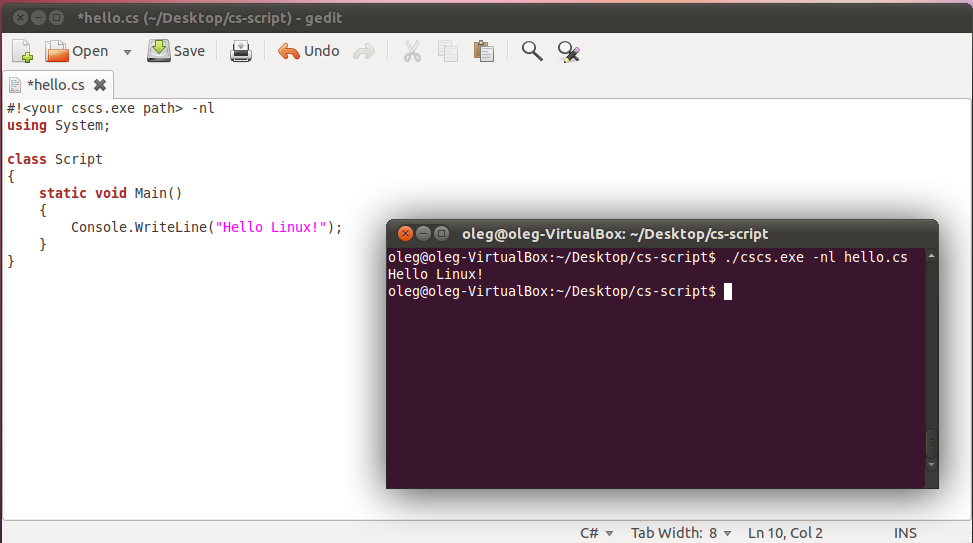
CS-Script now has full support on Linux. While even before this release it was possible to execute the C# scripts on Mono only from this version the script engine implementation has been reworked to to bring the same level of support as on Windows.
CS-Script with Visual Studio 2012
Added support for Visual Studio 2012.
CS-Script Visual Studio 2012 Extension is updated to allow automatic loading the script file on �Debug Script� shell-extension invocation.
Workaround for Windows 8 / Visual Studio 2012 Shell Extension incompatibility
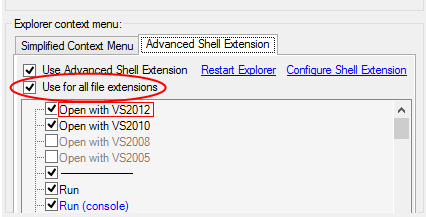
On Windows 8 with Visual Studio 2012 right-click menu configuration may conflict with the CS-Script "Simplified Context Menu", "Advanced Shell Extension" and "Open Action" may not work correctly in result. In such cases it is still possible to use CS-Script Advanced Shell Extension as long as it configured for the "Use for all file extensions".
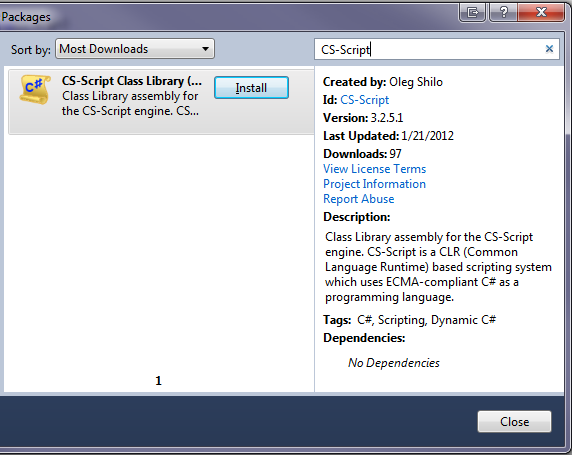
CS-Script on NuGet
CS-Script just has been published on NuGet